01 / UNDERSTAND
What is Paper Prototyping?
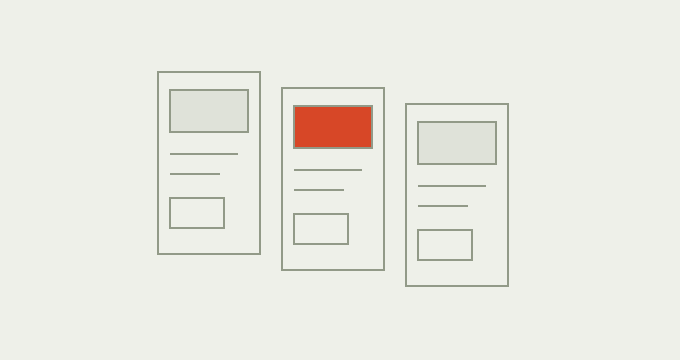
Paper prototyping simulates an interface with sketches, printed screens and movable pieces. A participant attempts a task while another person changes the paper in response. It lets a team examine an early flow before implementing it. The prototype needs enough detail to support the question, including meaningful labels and believable content; polished graphics are optional.
Why use Paper Prototyping?
A sequence can make sense when its designer explains it and still leave someone unsure what to do. Turning that sequence into something a person can operate reveals missing states and unclear choices. The inexpensive materials also make alternatives easy to try. Paper supports learning about the proposal, while the test plan determines what conclusions the evidence can support.
When to use it
USE IT WHEN
You need to explore the order of screens, choices or information in an early concept.
A team has selected an idea and wants to make its behaviour concrete.
A question can be answered without realistic timing, gestures or assistive technology.
When to choose another method
Use Crazy 8s when you still need distinct concept alternatives before developing a flow.
Use Tree Testing when the question concerns labels and hierarchy without interface cues.
Use Usability Testing with a suitable digital prototype for keyboard interaction, responsive behaviour or realistic input. Paper alone cannot establish accessibility.
What you’ll need
Choose one task, a start and an observable ending. Bring paper, pens, removable notes and realistic sample content with private information removed. Prepare key alternatives and errors as well as the expected route. Agree how a person operating the prototype will respond without explaining the design. Include people whose experience is relevant to the task and accommodate how they can comfortably take part.
Parts of a testable paper prototype
Keep the elements that help answer your question and support a decision.
A plausible goal, without instructions for using the interface.
The states, overlays and changing content needed for that goal.
What changes after each supported action.
A participant, a prototype operator and someone recording evidence.
Actions, questions, assistance and prototype limitations.
A change connected to an observed difficulty and a new check.
02 / PUT IT INTO PRACTICE
How to build and test a paper prototype
Keep evidence and assumptions distinct. Revisit your work when new information changes your understanding.
01
Choose the uncertainty
State what the prototype should help you decide.
Can a learner move a booking while understanding that the existing place stays reserved until confirmation?
02
Sketch the states
Create a starting screen, possible choices and the ending. Use readable content.
Draw the current booking, available alternatives and a review state showing both dates.
03
Prepare responses
Label pieces on the back and record which action reveals which state.
Selecting a new date opens the review; returning keeps the original booking unchanged.
04
Rehearse the operation
Check that the operator can respond consistently. Repair missing pieces before inviting participants.
Prepare a full session state so an unavailable date does not force the operator to improvise.
05
Run the task
Invite the person to act on the paper. Observe before asking neutral follow ups.
If they hesitate at Confirm change, ask what they expect to happen, without explaining the reservation rule.
06
Revise and check again
Separate design difficulties from simulation failures. Preserve the old version and its evidence.
If the review hides the original date, place both dates together and test the revised transition.
Example: moving a course booking
Illustrative scenario, not research findings. A course provider wants learners to change a booking without accidentally losing their existing place. The paper flow contains a current booking, a choice of new dates and a final review. The prototype operator keeps the current booking on the table until the person confirms a change.
In a hypothetical session, the person pauses because the review shows only the new date. Their question suggests uncertainty about the existing place. The team proposes showing the old and new dates together with a plain explanation of when the change takes effect. They then repeat the task with the revised paper. A later digital test must examine live availability and the response when another learner takes the last place.

03 / BELOW THE SURFACE
Below the surface: when the operator becomes the interface
The operator can accidentally make an unclear interface feel usable. A helpful explanation, a pointed finger or an immediate correction supplies information that the real product may not provide.
01 / ASSISTANCE
What did the operator add?
Record explanations and gestures absent from the interface.
02 / LIMIT
What could paper not establish?
Separate a simulation gap from a design difficulty.
03 / NEXT TEST
What needs a different prototype?
Name the digital behaviour or operating rule to examine.
Record assistance as part of the result. If the person completes the change only after the operator explains what happens to the old booking, the flow has not yet demonstrated independent completion. Write down the intervention and the point at which it occurred.
A second complication is missing behaviour: paper can hold a place indefinitely while the intended system cannot. Distinguish a communication problem from an untested operating assumption. Revise the screen for the first; investigate reservation rules with the delivery team for the second. This distinction is an editorial interpretation for this example, not a separate validated framework.
Paper Prototyping working canvas
Use page one to sketch or describe three states and their response rules. Page two records the attempt, operator assistance, simulation limits and the next check.
The two page PDF has 11 editable text fields. Print it for sketching or add drawings with a PDF annotation tool. Save typed entries with a PDF reader that supports forms.


Practical tips
Mark version and state IDs on the reverse of each sheet.
Keep labels realistic even when the drawing is rough.
Photograph each tested version with permission and remove personal details.
Common mistakes
Demonstrating the expected route before the participant attempts it.
Treating a slow paper swap as evidence about digital response time.
Recording successful completion without the help that made it possible.
What you’ll get
A revised interaction sequence, the observations behind each change and a list of behaviours the simulation could not establish. Give the next digital or operational check an owner before increasing fidelity.